
Top 8 Open-Source AI Developer Tools You Need to Try
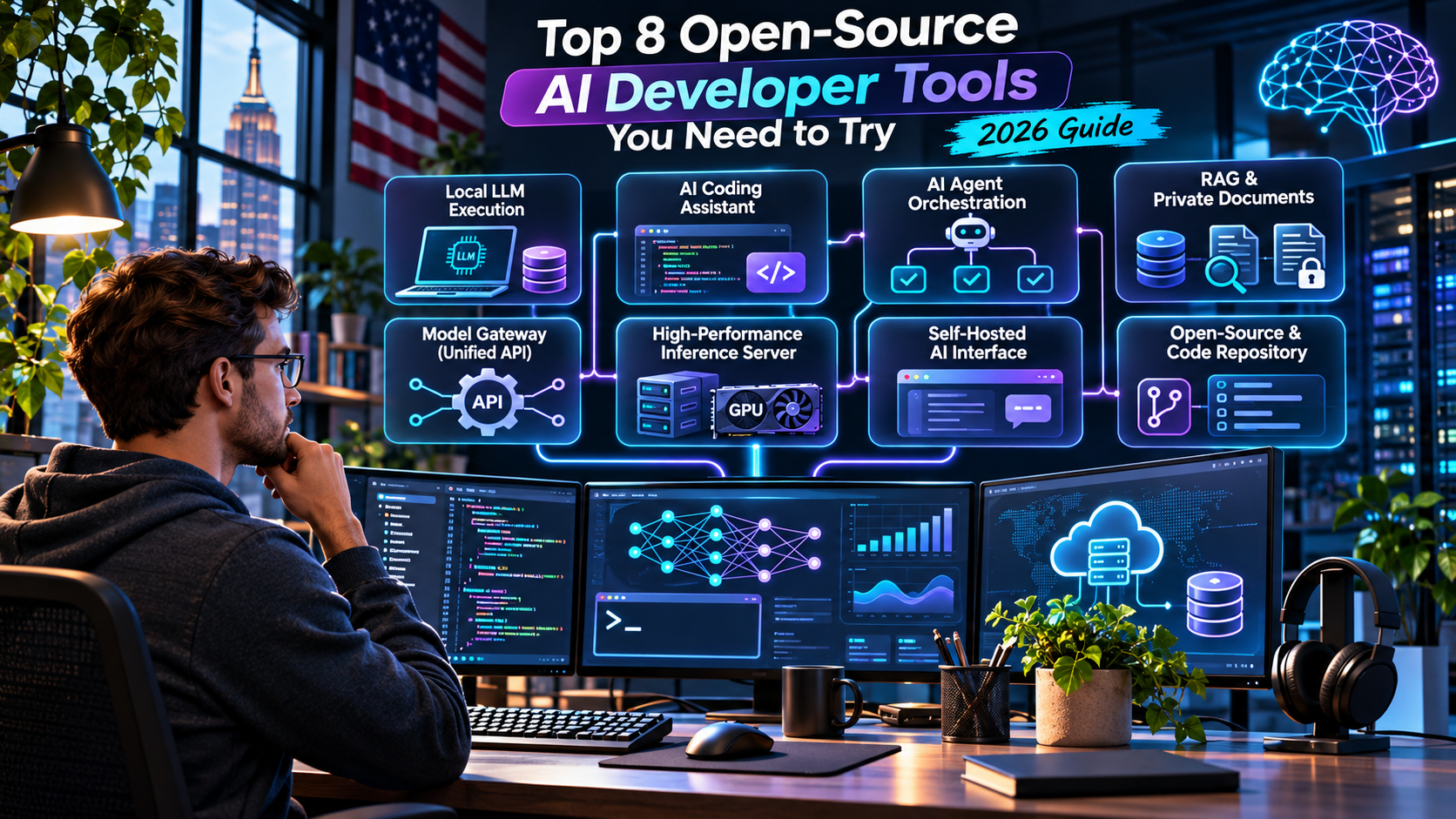
Open-source AI developer tools have moved far beyond being experimental projects for hobbyists. In 2026, developers can run models locally, build retrieval-augmented generation (RAG) systems, create AI agents, serve models at scale, and integrate multiple LLM providers without locking an entire project into one proprietary stack.
That shift matters.
According to Stack Overflow’s 2026 Developer Survey, 83% of respondents use at least one AI tool, while coding assistants or coding agents are used by 65.9%. Among developers who use coding assistants, 73% use them daily.
But there’s a catch: more AI doesn’t automatically mean better software.
The same developer community remains cautious about AI-generated output. In the 2025 survey, 66% of developers said one of their biggest frustrations was AI solutions that were “almost right,” while 45% said debugging AI-generated code could take more time.
That’s where open-source tools become especially interesting. They give developers more control over models, infrastructure, data flow, integrations, and deployment choices.
In this guide, we’ll examine eight open-source AI developer tools worth knowing in 2026, what each one actually does, where it fits into a modern development stack, and where it may not be the best choice.
Table of Contents
- Why Open-Source AI Developer Tools Matter in 2026
- The 8 Open-Source AI Developer Tools
- 1. Ollama — The Easiest Way to Run AI Locally
- 2. Aider — AI Pair Programming in Your Terminal
- 3. LangChain — Build AI Agents and Workflows
- 4. LlamaIndex — Connect AI to Your Data
- 5. Haystack — Build Production-Ready RAG and Agents
- 6. LiteLLM — One Interface for Multiple LLMs
- 7. vLLM — High-Performance LLM Serving
- 8. Open WebUI — A Self-Hosted AI Workspace
- How These Tools Fit Together
- Pros and Cons of Open-Source AI Developer Tools
- How to Choose the Right Tool
- A Practical Open-Source AI Stack for Developers
- Frequently Asked Questions
- Conclusion
Why Open-Source AI Developer Tools Matter in 2026
For a long time, building an AI-powered application usually meant signing up for an API, sending requests to a cloud provider, and accepting whatever infrastructure and pricing model came with it.
That’s still a perfectly reasonable approach.
But it’s no longer the only approach.
Open-source AI developer tools make it possible to assemble your own AI stack from individual components. You might run a model locally with Ollama, expose it through Open WebUI, connect it to private documents with LlamaIndex or Haystack, route requests through LiteLLM, and eventually serve models with vLLM.
Think of it less like buying a finished appliance and more like building a computer.
You choose the components.
This flexibility is becoming increasingly relevant because developers aren’t simply asking, “Which AI tool is smartest?”
They’re asking:
- Can I run it locally?
- Can I keep sensitive data inside my infrastructure?
- Can I switch models later?
- Can I reduce API costs?
- Can I customize the workflow?
- Can I inspect what the software is doing?
- Can I deploy it on my own server?
- Can I integrate it with my existing application?
Those questions explain why open-source AI continues to attract developers.
The 2025 Stack Overflow survey found that open-source tools such as Ollama and LangChain were among the most-used tools in AI-agent orchestration, with Ollama reported by 51% and LangChain by 33% of respondents building agents in that survey’s sample.
The important distinction, however, is that open source doesn’t automatically mean better.
A project can be technically impressive and still be the wrong tool for your application.
The goal is to understand where each tool fits.
The 8 Open-Source AI Developer Tools
Here’s the shortlist:
| Tool | Best For | Main Strength |
|---|---|---|
| Ollama | Local AI development | Easy local model execution |
| Aider | AI-assisted coding | Terminal-based pair programming |
| LangChain | Agents and workflows | Broad model/tool integrations |
| LlamaIndex | Private data and RAG | Data ingestion and retrieval |
| Haystack | Production AI applications | Modular pipelines and agents |
| LiteLLM | Multi-model applications | Unified LLM interface |
| vLLM | Model serving | High-throughput inference |
| Open WebUI | Self-hosted AI interface | User-friendly private AI workspace |
They aren’t direct competitors.
In fact, some of them work particularly well together.
1. Ollama — The Easiest Way to Run AI Locally
If you’re new to local AI development, Ollama is one of the first tools I’d investigate.
Ollama makes it comparatively simple to download and run open models locally and interact with them through a command-line interface and API. Its current ecosystem supports a wide range of models and can also connect applications and agents to models through its API.
That sounds technical, but the concept is straightforward.
Instead of sending every prompt to a remote AI service, you can run a compatible model on your own computer.
For example, a developer might use a local model for:
- Code experimentation
- Text classification
- Prototyping
- Document analysis
- Internal assistants
- Development testing
- RAG experiments
- AI-agent experiments
The biggest attraction is control.
If you’re working with sensitive source code or private documents, local inference can reduce the need to transmit that information to a third-party cloud provider.
Of course, “local” doesn’t magically eliminate security concerns. Your computer, operating system, model files, network configuration, logs, and application still need to be secured.
Why developers like Ollama
Ollama has a remarkably approachable workflow. The project provides installation options for macOS, Windows, Linux, and Docker, along with Python and JavaScript libraries.
It’s also useful because you don’t necessarily have to build your own model-serving layer just to experiment.
Best use case
Choose Ollama when you want to experiment with local models without turning model deployment into a separate engineering project.
Potential downside
Hardware matters.
A model that runs comfortably on a powerful workstation may be frustratingly slow on an ordinary laptop. Memory requirements, quantization, context length, and GPU availability can dramatically change the experience.
So don’t assume that “local AI” automatically means “fast AI.”
2. Aider — AI Pair Programming in Your Terminal
Some developers prefer working in a terminal rather than constantly switching between an IDE, browser, and AI chat window.
That’s where Aider stands out.
Aider describes itself as AI pair programming in the terminal. It can work with existing codebases, map a codebase to understand its structure, make changes, and help address issues discovered by linters and test suites.
This is an important distinction.
A generic chatbot might give you a code snippet.
A coding-focused tool can work closer to the actual development workflow.
Imagine you’ve inherited a small Python application with 40 files. You need to add authentication, update a few API routes, and modify tests.
Copying individual files into a chat interface quickly becomes tedious.
Aider’s approach is much closer to:
“Here’s my repository. Help me modify it.”
That’s a fundamentally different workflow.
What makes Aider interesting?
It can connect to cloud models and local models, giving developers flexibility over the underlying model provider.
That makes it particularly attractive for developers who don’t want their coding workflow permanently tied to a single AI provider.
Best use cases
Aider is particularly useful for:
- Refactoring
- Bug fixing
- Adding tests
- Small-to-medium feature work
- Exploring unfamiliar codebases
- Terminal-centric development
- Iterative coding with AI
The limitation
AI-assisted coding still requires engineering judgment.
If an AI changes 12 files successfully, that doesn’t mean the architectural decision was correct.
Run your tests.
Review the diff.
Check security-sensitive changes manually.
And never assume that a green-looking AI response means production-ready code.
3. LangChain — Build AI Agents and Workflows
LangChain is one of the best-known open-source frameworks in the AI application ecosystem.
The project describes LangChain as an open-source framework with prebuilt agent architectures and integrations for models, tools, and databases. It is MIT licensed.
The important word here is workflow.
A simple chatbot can call a model and return an answer.
A useful AI application often needs much more:
- Receive a user request.
- Determine what information is needed.
- Retrieve relevant data.
- Call a tool.
- Analyze the result.
- Potentially call another tool.
- Generate a final response.
- Return structured output.
That’s where orchestration frameworks become valuable.
What can you build with LangChain?
Potential applications include:
- AI agents
- RAG systems
- Customer-support assistants
- Research assistants
- Document Q&A
- Tool-using applications
- Structured information extraction
- Multi-step workflows
LangChain’s broad integration ecosystem is one of its major strengths.
But there’s a tradeoff.
A framework with many abstractions can introduce complexity.
For a tiny application that simply sends a prompt to an API, adding a large orchestration layer may be unnecessary.
Best use case
Use LangChain when your application has multiple AI components, tools, retrieval steps, or agentic behavior.
If your application is simply:
input → model → output
you probably don’t need a huge framework.
4. LlamaIndex — Connect AI to Your Data
An AI model may know a lot, but it doesn’t automatically know what’s inside your company’s internal documents.
That’s the problem LlamaIndex is designed to help solve.
LlamaIndex is an open-source framework for building AI applications around data, including RAG and agentic applications. Its current repository emphasizes document processing, parsing, extraction, indexing, and connecting AI systems to data.
Suppose you’re building an internal company assistant.
Your organization has:
- PDF manuals
- Product documentation
- Internal policies
- Knowledge-base articles
- SQL databases
- Web content
- Technical documents
You don’t want employees asking a general-purpose model to “remember” all of that.
Instead, you can build a retrieval system that finds relevant information and gives that context to the model.
That’s the basic idea behind RAG.
Why LlamaIndex stands out
LlamaIndex provides data connectors, indexing approaches, retrieval capabilities, query engines, and integrations with different model and storage systems. Its repository currently lists more than 300 integration packages.
That makes it especially interesting for document-heavy applications.
Best use cases
Consider LlamaIndex for:
- Company knowledge assistants
- PDF Q&A
- Research applications
- Document search
- RAG systems
- Data-aware agents
- Enterprise knowledge systems
One thing to watch
RAG quality isn’t determined solely by the framework.
Poor document parsing produces poor retrieval.
Poor chunking produces poor context.
Poor retrieval produces poor answers.
And a brilliant model can’t completely compensate for a badly designed information pipeline.
That’s why AI developers should treat the data layer as seriously as the model itself.
5. Haystack — Build Production-Ready RAG and Agents
If LlamaIndex is heavily associated with connecting AI to data, Haystack is another powerful option for developers who want explicit, modular AI pipelines.
Haystack is an open-source Python framework for building production-ready LLM applications, including RAG systems, AI agents, semantic search, multimodal applications, and question-answering systems.
One feature I particularly like about the architecture is its emphasis on explicit pipelines.
You can think of an AI workflow as a series of components:
Retriever → Ranker → Prompt Builder → Generator → Evaluator
Instead of treating the whole process as a mysterious black box, each stage can be inspected, replaced, or tested.
That’s useful when an application becomes serious.
Why modularity matters
Imagine your RAG application isn’t returning good answers.
Where is the problem?
Maybe:
- The documents weren’t parsed correctly.
- The retriever returned irrelevant chunks.
- The ranking stage was weak.
- The prompt was poorly constructed.
- The model misunderstood the context.
A modular architecture makes those questions easier to investigate.
Haystack also supports multiple model and infrastructure providers, including cloud providers and local models.
Best use cases
Haystack is worth considering for:
- Enterprise RAG
- AI agents
- Semantic search
- Production pipelines
- Document processing
- Multimodal AI applications
- Applications where observability and control matter
Potential downside
Haystack can feel like more framework than a beginner needs.
If you’re learning the basics of calling an LLM, start smaller.
If you’re designing a complex production pipeline, its architecture becomes much more attractive.
6. LiteLLM — One Interface for Multiple LLMs
Here’s a problem almost every serious AI team eventually encounters:
Model switching is painful.
You start with one provider.
Then you discover another model is better for coding.
A third is cheaper for summarization.
A fourth is useful for a specific workload.
Suddenly your application has several provider-specific SDKs.
LiteLLM addresses this problem by providing a unified interface for calling many LLM providers using an OpenAI-compatible format. Its documentation says it supports more than 100 LLMs and includes routing, retries, fallbacks, virtual keys, cost tracking, and a self-hosted gateway.
That can dramatically simplify application architecture.
Instead of writing provider-specific logic throughout your application, you can place a model gateway in front of the providers.
A practical example
Imagine your application uses:
- A fast model for simple classification
- A stronger model for difficult reasoning
- A local model for sensitive internal tasks
- A backup provider if the primary service fails
LiteLLM can provide a common layer for that architecture.
Best use cases
Use LiteLLM when you need:
- Multiple model providers
- Model routing
- Fallbacks
- Centralized API access
- Cost tracking
- Provider abstraction
- Self-hosted model gateways
Potential downside
An abstraction layer is another component to maintain.
For a small application using one model provider, it may add unnecessary complexity.
For a growing AI platform, however, that abstraction can become extremely valuable.
7. vLLM — High-Performance LLM Serving
Building an AI prototype is one thing.
Serving thousands of model requests is something else entirely.
That’s where vLLM enters the picture.
vLLM is an open-source inference and serving engine designed for high-throughput, memory-efficient LLM serving. The project originated at UC Berkeley and has grown into a large open-source ecosystem.
Its architecture focuses on making model inference efficient.
One of the technologies associated with vLLM is PagedAttention, which helps manage attention key-value memory efficiently. The project also supports techniques such as continuous batching and prefix caching.
You don’t necessarily need vLLM to run a model on your laptop.
You start caring about it when inference becomes infrastructure.
For example:
You have an open model, an application, and a growing number of simultaneous users.
Now throughput matters.
Latency matters.
GPU utilization matters.
Memory efficiency matters.
Operational reliability matters.
Best use cases
vLLM is particularly relevant for:
- Production LLM serving
- High-throughput inference
- GPU-backed AI applications
- Self-hosted model APIs
- Internal AI platforms
- Model-serving infrastructure
Potential downside
This isn’t the tool I’d recommend as your first introduction to local AI.
It’s infrastructure.
If you’re still figuring out what model you want to use, start with something simpler.
When serving performance becomes a bottleneck, vLLM becomes much more interesting.
8. Open WebUI — A Self-Hosted AI Workspace
Running local models is great.
But typing commands into a terminal isn’t everyone’s preferred interface.
Open WebUI provides a polished, self-hosted interface for interacting with AI models.
The project describes itself as an extensible, self-hosted AI platform designed to run entirely offline, with support for Ollama and OpenAI-compatible APIs.
This makes it a natural companion to local AI infrastructure.
You can install Open WebUI using Python, Docker, or other deployment approaches, connect it to local models, and create a browser-based AI environment.
Why this matters
Imagine a small company wants an internal AI assistant.
Employees shouldn’t necessarily need to understand:
- GPU drivers
- model files
- command-line flags
- API endpoints
- inference servers
They need a usable interface.
Open WebUI can provide that interface while keeping the underlying infrastructure under the organization’s control.
Potential applications
- Private AI assistants
- Internal knowledge bases
- Local chatbots
- Team AI workspaces
- RAG interfaces
- Model experimentation
- Air-gapped environments
The project also supports connecting OpenAI-compatible APIs, meaning it isn’t restricted to a single local-model backend.
Best use case
Choose Open WebUI when you want a practical user interface around self-hosted or locally accessible AI models.
How These Tools Fit Together
Here’s the interesting part.
You don’t have to choose only one.
These tools can form layers of a complete AI development stack.
A possible architecture looks like this:
User Interface
↓
Open WebUI
↓
LiteLLM
↓
Ollama / vLLM / Cloud Models
↓
LlamaIndex or Haystack
↓
Private Documents / Databases / APIs
Meanwhile, Aider can sit alongside the development workflow, helping engineers build and modify the application.
LangChain can provide orchestration where agentic workflows are required.
This illustrates something important about modern AI development:
The winning stack isn’t necessarily the one with the biggest model.
It may be the stack that connects models, data, tools, and infrastructure most effectively.
Pros and Cons of Open-Source AI Developer Tools
Open-source AI developer tools offer genuine advantages, but they aren’t a magic solution.
Advantages
1. More control
You can often control where models run, how data moves, and how applications are deployed.
2. Greater flexibility
You’re not necessarily tied to one model provider.
You can experiment with different models and architectures.
3. Local development
Tools such as Ollama make local experimentation accessible without requiring every request to travel to a cloud API.
4. Customization
Open-source projects allow developers to inspect, modify, extend, and integrate software at a deeper level.
5. Potential cost savings
Local inference can reduce API usage for certain workloads, although hardware, electricity, maintenance, and engineering time still have costs.
6. Better architectural independence
A standardized layer such as LiteLLM can make switching models easier.
Disadvantages
1. You become responsible for infrastructure
With control comes responsibility.
You’ll need to think about:
- Updates
- Security
- Backups
- Authentication
- Monitoring
- GPU management
- Capacity planning
2. Hardware can become expensive
Running larger models locally can require significant RAM or GPU memory.
3. Setup complexity
An open-source stack may involve several components.
That’s powerful, but it can also become complicated quickly.
4. Quality varies between models
An open-source application framework doesn’t guarantee that every model you connect to it will perform well.
5. Security remains your responsibility
Self-hosting isn’t synonymous with security.
A badly configured private AI server can still expose sensitive data.
6. Maintenance takes time
Cloud services handle much of the operational burden for you.
Open-source infrastructure gives you more control, but you also inherit more work.
How to Choose the Right Open-Source AI Developer Tool
Don’t start by asking:
“Which tool is the best?”
Start with:
“What problem am I trying to solve?”
Use this simple decision framework.
Want to run AI locally?
Start with Ollama.
Want AI-assisted coding from your terminal?
Try Aider.
Want to build AI agents?
Look at LangChain or Haystack.
Want to connect an LLM to private documents?
Consider LlamaIndex or Haystack.
Need one interface for many model providers?
Consider LiteLLM.
Need serious model serving?
Evaluate vLLM.
Want a user-friendly private AI interface?
Try Open WebUI.
This approach is better than installing eight tools simply because they’re popular.
A Practical Open-Source AI Stack for Developers
If I were designing a new AI application from scratch, I’d avoid starting with a complicated architecture.
I’d build in stages.
Stage 1: Experiment
Start with Ollama and a suitable model.
The goal is simple:
Can the model actually solve the problem?
Don’t build infrastructure before answering that question.
Stage 2: Create the application
Build the basic application around the model.
Keep the architecture simple.
Stage 3: Add your data
If the application needs private documents, introduce LlamaIndex or Haystack.
Now you’re moving from a generic chatbot toward a domain-specific AI system.
Stage 4: Add model flexibility
If you need several providers or models, introduce LiteLLM.
This gives you an abstraction layer before provider-specific logic spreads through your codebase.
Stage 5: Improve serving
If your model workload grows, investigate vLLM.
At this point, performance optimization has a reason to exist.
Stage 6: Improve the interface
If nontechnical users need access, add Open WebUI or build your own frontend.
This staged approach prevents a common mistake:
solving tomorrow’s infrastructure problem before solving today’s product problem.
Frequently Asked Questions
What are open-source AI developer tools?
Open-source AI developer tools are software projects whose source code is available under an open-source license and that help developers build, run, integrate, or manage AI applications. They can cover everything from local model execution and coding assistants to RAG pipelines and model-serving infrastructure.
Are open-source AI developer tools free?
Many open-source tools can be used without paying a software license fee, but that doesn’t mean the entire system is free. Developers may still pay for hardware, cloud GPUs, electricity, storage, model APIs, hosting, maintenance, and engineering time.
Which open-source AI developer tool is best for beginners?
Ollama is a strong starting point for developers who want to experiment with local AI because its installation and model-running workflow is relatively approachable. Open WebUI can then provide a graphical interface for interacting with compatible local or remote models.
Can I use open-source AI tools for commercial projects?
Often, yes, but you must examine the license of each specific project and, importantly, the license or usage terms of the models you deploy. “Open source” applies to software licensing and doesn’t automatically mean every model or dataset has unrestricted commercial rights.
Is Ollama better than vLLM?
They’re designed for different jobs. Ollama is particularly convenient for local model experimentation and application development, while vLLM is designed around efficient, high-throughput model inference and serving.
Should developers use LangChain or LlamaIndex?
It depends on the application. LangChain is particularly useful for orchestrating models, tools, and agent workflows, while LlamaIndex is especially useful when applications need to ingest, index, retrieve, and work with external data.
Can open-source AI tools replace cloud AI APIs?
Sometimes, but not universally. Local or self-hosted models can be excellent for privacy, customization, and predictable workloads, while cloud APIs can provide access to powerful models without requiring you to manage GPU infrastructure.
Are open-source AI developer tools secure?
They can be deployed securely, but security depends heavily on configuration and operational practices. Developers should review project dependencies, keep software updated, protect API endpoints, use authentication, restrict network access, and avoid assuming that self-hosting automatically makes an application secure.
Conclusion
The most exciting thing about open-source AI developer tools isn’t that they let developers avoid cloud AI altogether.
It’s that they give developers choices.
You can experiment locally with Ollama. You can use Aider to bring AI into your coding workflow. LangChain can help orchestrate agents and tools, while LlamaIndex and Haystack can connect models to useful information. LiteLLM can provide a common gateway across model providers, vLLM can handle demanding inference workloads, and Open WebUI can turn a collection of AI infrastructure into something ordinary users can actually interact with.
And you don’t need all eight.
In fact, you probably shouldn’t start with all eight.
Pick the tool that solves your immediate problem. Build something small. Measure whether it works. Then add another layer only when there’s a genuine reason to do so.
That’s the real advantage of the open-source AI ecosystem in 2026: you don’t have to accept one fixed architecture.
You can build your own.
If you’re a developer exploring AI for the first time, start small. If you’re already building AI applications, look for the parts of your stack where flexibility, privacy, model choice, or infrastructure control could make a measurable difference.
The best open-source AI developer tools aren’t necessarily the ones with the most features.
They’re the ones that make your particular software problem easier to solve.
Specializing in AI applications, web architecture, high-performance WordPress infrastructure, and modern productivity tooling.
Discussion & Feedback 0
Join the technical conversation. Constructive questions, benchmarks, and experiences are welcome.
No Comments Yet
Have questions about this guide, discovered a better tool alternative, or benchmarked results? Be the first to start the discussion!